
How to Budget on a GS Salary (Without Overcomplicating It)
Budgeting on a General Schedule (GS) salary often feels frustrating using standard personal finance advice. Conventional budgeting rules—like the popular 50/30/20 rule—are built around gross pay and simple single-line paychecks. But as a federal employee, your SF-50 salary is merely a starting number.
Before your paycheck hits your bank account, it passes through a gauntlet of automated federal deductions: FERS retirement contributions (4.4% for most modern hires), Thrift Savings Plan (TSP) elections, FEHB health insurance premiums, FEGLI life insurance, and federal, state, and local tax withholdings.
Trying to budget off your gross salary creates a misleading picture of your monthly cash flow. Building a working money system as a federal employee requires setting aside complex spreadsheets and managing your money around your actual net take-home pay.
Why Standard Budgeting Fails Federal Employees
A federal earnings and leave statement (LES) can have upwards of 15 line items before reaching your net pay. Traditional budgeting frameworks fail federal employees for three specific reasons:
-
Gross vs. Net Pay Misalignment: If you earn $85,000 as a GS-11, setting a 20% savings goal based on $85,000 ignores the fact that 4.4% is already going into FERS and at least 5% is going into the TSP. You are already saving and contributing to retirement at the source.
-
The Biweekly Paycheck Lag: Federal employees are paid on a 26-pay-period schedule, not twice a month. Most bills (rent, mortgage, utilities, car payments) arrive monthly. Trying to map 26 biweekly paychecks onto 12 calendar months leads to artificial cash flow pinches—and two "extra" paychecks each year that often get swallowed up without intent.
-
Irregular Federal Expenses: FEHB open season rate changes, annual professional dues, seasonal transit shifts, and travel reimbursement lags create temporary monthly swings that throw rigid line-item budgets off balance.
To simplify your finances, your budget needs to reflect the cash that actually reaches your checking account each pay period.
The 3-Step Simple Federal Budget Framework
Step 1: Establish Your Real Take-Home Baseline
Look at your most recent Earnings and Leave Statement (LES). Locate your Net Pay—the actual dollar amount deposited into your checking account every two weeks. Multiply your biweekly net pay by 26, then divide by 12 to get your true monthly take-home baseline.
Monthly Net Take-Home = (Biweekly Net Pay × 26) ÷ 12
This number represents your total working capital for living expenses, debt payoff, and post-tax savings goals.
Step 2: Separate Fixed Obligations from Flexible Spending
Divide your expenses into two core buckets:
-
Fixed Commitments (Non-Negotiables): Rent or mortgage, utilities, car payments, minimum debt payments, and basic insurance. These should ideally consume no more than 50% to 60% of your monthly take-home pay.
-
Flexible Living Expenses: Groceries, dining out, fuel, personal care, and entertainment.
Step 3: Automate Sinking Funds for Non-Monthly Expenses
Instead of letting annual property taxes, holiday gifts, car repairs, or travel ruin your monthly budget, set up dedicated sub-savings accounts ("sinking funds"). Estimate your total annual cost for these items, divide by 26, and set up an automated direct deposit from your payroll into a high-yield savings account every pay period.
Interactive GS Take-Home Budget Planner
Use this interactive tool to model your monthly living expenses against your actual net take-home pay (after mandatory FERS, TSP, and FEHB deductions). Adjust the categories to see your true monthly cash surplus.
How to Handle Step Increases, COLAs, and Promotions
One of the biggest financial advantages of working on the General Schedule is predictable salary progression through within-grade step increases, annual Cost-of-Living Adjustments (COLA), and grade promotions.
Without a strategy, lifestyle creep quietly absorbs every pay bump. To build wealth automatically on a GS salary:
-
Apply the 50/50 Pay Raise Rule: Whenever you receive a step increase, COLA, or promotion, allocate 50% of the net increase directly into your Thrift Savings Plan (TSP) or an automated investment account.
-
Enjoy the Other 50%: Direct the remaining 50% into your checking account to raise your standard of living, absorb inflation, or fund lifestyle goals.
-
Capture the Full TSP Match: Ensure you are contributing at least 5% to the TSP to lock in the full government match (1% automatic + 4% agency match).
By automating your pay raises at the source via Employee Express or myPay, your savings rate grows painlessly throughout your federal career.
Shutdown-Proofing Your Federal Budget
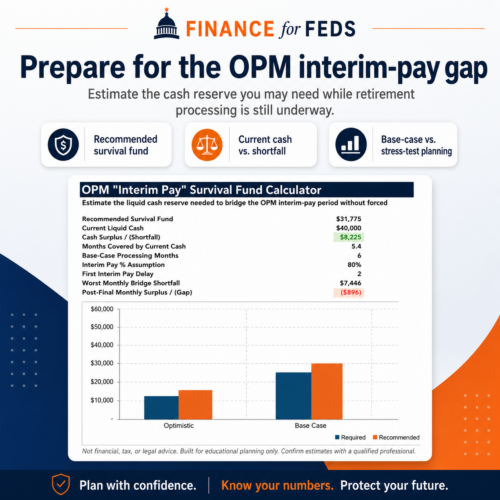
Budgeting on a GS salary requires preparing for government shutdowns and funding lapses. Even though back pay is guaranteed by law for federal employees following a shutdown, cash flow interruptions can create severe stress if your budget operates with zero buffer.
To shutdown-proof your finances:
-
Target a 3 to 6-Month Cash Reserve: Calculate 3 to 6 months of your fixed commitments (housing, utilities, debt, groceries) rather than full gross income. Keep this liquid in a high-yield savings account.
-
Identify Pauseable Expenses: Keep a list of non-essential recurring subscriptions and flexible costs that can be instantly canceled or paused during a lapse in appropriations.
For a comprehensive breakdown on structuring your savings and calculating core living expenses, explore our core resources on Financial Basics and check out the Federal Retirement Planning Tool.
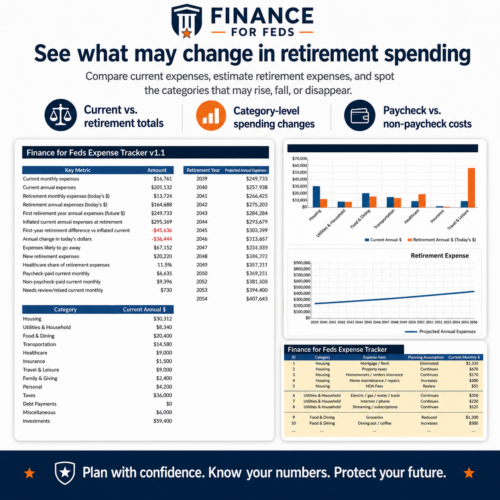
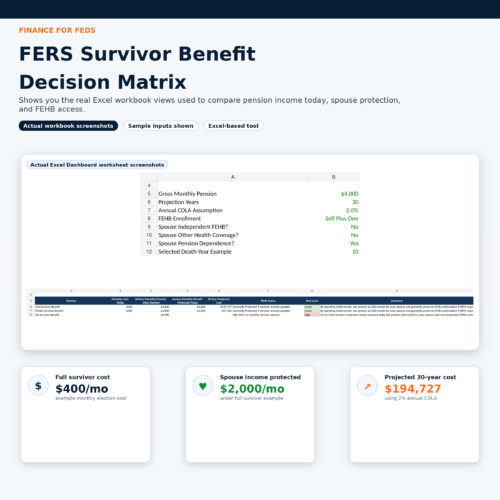
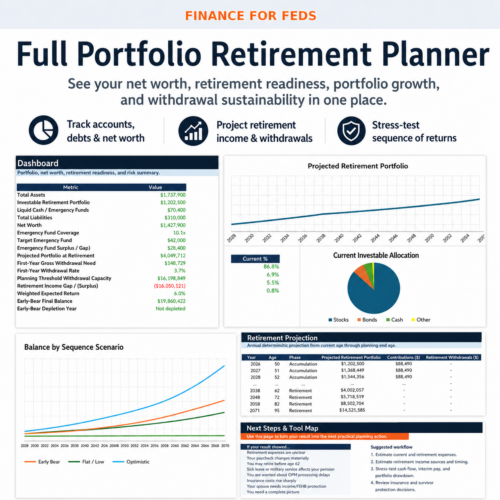
Related Tools
Share This Article
About the Author: Finance for Feds Editorial Team